

Can Telegram Bots Hack You?

Can telegram bots hack you? If you’re asking this, you’re probably in one of two situations: you just interacted with a bot and felt something was “off,” or you saw warnings online and want to confirm what’s real. That anxiety is understandable—Telegram bots can feel powerful because they automate tasks, collect inputs, and sometimes ask for “verification.” This guide gives you a clear answer first, then explains (1) what bots technically can do, (2) what they cannot do, and (3) the real ways people get compromised on Telegram—without panic or exaggerated claims.
If you use Telegram for channel management or growth utilities, you may run into pages like Telegram smm panel while also seeing “free tools” such as Free Telegram View. Some users also try engagement utilities like Free Telegram Reaction or community-building offers like Free Telegram Members. These are not automatically “unsafe,” but they are exactly the types of experiences that trigger security questions—especially when a bot starts requesting unusual actions. Finally, if you see offers like Free Premium Member, it’s smart to pause and evaluate the risk carefully before clicking anything.
1) Can Telegram Bots Hack You?
Usually, no—Telegram bots cannot “hack” your phone or magically take over your account just because you opened a chat. Bots operate inside Telegram’s bot framework and have limited access to what you explicitly share with them. However, bots can be used as tools for scams—especially phishing, fake verification, and social engineering—where the real “hack” happens because a user is tricked into giving away a login code, approving a login, or installing something malicious. So the practical truth is: bots don’t have unlimited powers, but malicious bots can still harm you through deception.

2) How Telegram Bots Actually Work
Telegram bots are automated accounts controlled by software running on external servers. You interact with a bot through Telegram, but the “brain” lives outside the app. That’s why bots can feel smart: they can respond instantly, store your inputs, and guide you through steps. The important security point is this: a bot can only act on what it receives through Telegram and what you willingly provide—links, usernames, phone numbers you type, files you send, or permissions you explicitly grant in Telegram prompts.
3) What Telegram Bots Can Access
Bots can access the information and content that you expose to them through the chat interface or through specific bot features. This is why it matters what you type, upload, or approve. In many cases, the risk is not “hidden access,” but “unnecessary sharing.” If you want a deeper, dedicated explanation of message visibility concerns, see can telegram bot owner see messages.
- Messages you send to the bot (including text, links, and any details you type).
- Files you upload to the bot (documents, images, etc.).
- Public profile signals that Telegram may expose in context (for example, your display name).
- Group context data if the bot is added to a group and has permission to read messages there (depends on settings).
4) What Telegram Bots Cannot Access (Critical Myth-Busting)
This is the part many people get wrong. A bot cannot silently browse your phone, steal your gallery, or read your private chats with other users just because you opened the bot. Telegram’s bot model restricts bots from acting like spyware on your device. If you’re comparing rumors vs reality, this myth-busting mindset helps: if someone claims “the bot can see everything,” ask what permission or action makes that possible—because without your cooperation, most of those claims collapse.
- It cannot access your phone’s files unless you upload them.
- It cannot read your private chats with other people by default.
- It cannot take over your Telegram account unless you hand over login access (directly or indirectly).
- It cannot “hack your device” just through Telegram chat in normal conditions.

5) How Telegram Users Get “Hacked” in Reality
When people say “I got hacked by a bot,” the underlying cause is usually one of these: phishing pages, fake login screens, stolen one-time codes, “verification” traps, or installing unknown apps. In other words, the attacker doesn’t break Telegram encryption with magic—they trick the user into granting access. This is also why broader account-safety questions matter, such as can telegram block your account, because risky behaviors can lead to both compromise and platform restrictions.
- OTP theft: You’re asked to “verify,” then you share a login code.
- Session approval scams: You’re nudged to approve a new device login you didn’t initiate.
- Phishing links: A bot sends a link that mimics Telegram or a trusted site.
- Malicious downloads: You install something outside Telegram that contains malware.
- Identity harvesting: You provide personal data that is later used for fraud.
6) Common Telegram Bot Scams Explained (Without Panic)
Most bot scams reuse a handful of templates. They create urgency, promise rewards, then ask for something risky. Some push “premium,” “crypto payouts,” or “account checks.” Others claim your account is restricted and you must verify immediately. If you want a focused breakdown of the danger patterns, read can telegram bots be dangerous, because it maps well to the real-world scam structures.
7) Can Bots Steal Your Telegram Account?
A bot cannot directly steal your account just by chatting. Account takeover usually happens only if you disclose login codes, approve suspicious logins, or follow instructions that compromise your session. The “steal” part is typically social engineering. If a bot ever asks for a code, a password, or “confirm this login to continue,” treat that as an emergency red flag.

8) Can Telegram Bots Spy on Messages?
Bots can see what is sent to them, and in group contexts they may see group messages depending on how they’re configured and what permissions they have. But they do not automatically spy on your private conversations with other users. If you’re concerned about the boundaries, the best mindset is: assume anything you type to a bot is stored and processed externally, and avoid sharing sensitive details unless you fully trust the operator. For more message-specific context, revisit can telegram bot owner see messages and apply its logic to your use case.
9) Do Bots Have Access to Your Phone or Files?
Not by default. Telegram bots do not have operating-system-level access to your device. They only receive what you send them through Telegram. The exception is indirect: if you download and install something from a bot (outside Telegram), that downloaded file could be malicious. So the real rule is simple: don’t treat a bot’s link as safe just because it’s inside Telegram.
10) Are Verified Telegram Bots Safer?
Verification can be a positive signal, but it is not a blanket guarantee. A verified bot is more likely to be associated with a recognizable entity, yet you should still evaluate behavior. Reliability signals include: clear purpose, predictable actions, and no pressure to “verify” with OTP codes. If the bot’s workflow feels like a trap (urgency, rewards, “unlock now”), verification alone shouldn’t override your caution.
11) Red Flags of Dangerous Telegram Bots
If you remember nothing else, remember the red flags. Bots that are genuinely useful do not need access to your identity, your login codes, or your fear. Scams often feel emotional—rushed, exciting, or threatening. That emotional spike is the point.
- Asks for OTP / login code to “verify” anything.
- Promises unrealistic rewards for simple actions.
- Pushes you to install an app from an unknown source.
- Uses pressure tactics like “limited time” or “account will be banned.”
- Requests sensitive personal data that isn’t necessary for the stated function.
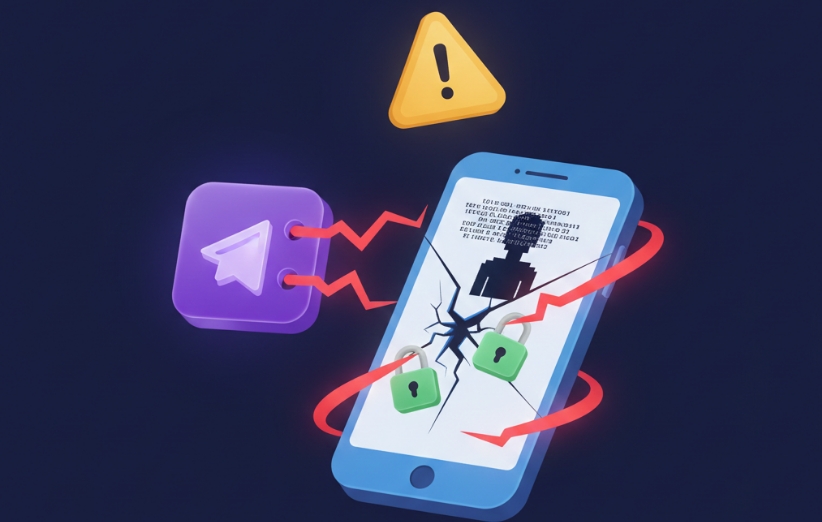
12) How to Use Telegram Bots Safely (Practical Steps)
Safety isn’t about never using bots—it’s about using them like you would any external service: with boundaries. Keep your risk low by refusing sensitive requests, staying inside Telegram’s official flows, and avoiding downloads. If you manage Telegram across devices, also understand your session footprint using can telegram be used on two devices, because unexpected sessions are a common warning sign people overlook.
- Never share OTP codes or “verification codes” with any bot.
- Avoid installing unknown files sent by bots or channels.
- Limit what you share (treat bot chats as public to the operator).
- Check active sessions if you suspect a login issue.
- Use bots with clear purpose and predictable behavior.
13) What to Do If You Interacted With a Suspicious Bot
If you already clicked something or shared information, don’t spiral—switch to damage control. The right actions depend on what you shared. If you only chatted, the risk is usually limited to what you typed. If you shared codes, clicked login links, or installed files, the risk increases.
- If you shared an OTP: assume compromise and secure your account immediately.
- If you clicked a link: avoid entering credentials and close the page; monitor for unusual logins.
- If you installed something: uninstall it and run a trusted device security scan.
- If you fear session issues: review device usage patterns, including can telegram be used on pc, to make sure unfamiliar access isn’t present.
14) Telegram’s Security Model and Bot Restrictions
Telegram separates bot capabilities from user accounts. Bots do not get “your Telegram powers.” They are constrained by the bot framework, which is designed to prevent bots from acting like device-level spyware. Your biggest exposures typically come from human factors—trusting the wrong prompts, typing sensitive information, or misunderstanding how Telegram logins work. If you’re exploring privacy workarounds like can telegram be used without a phone number, be extra careful: privacy choices can reduce some risks while increasing others if you rely on unstable verification methods.
15) Final Verdict: Are Telegram Bots a Real Hacking Threat?
Can telegram bots hack you? In the direct, Hollywood sense—no. Bots typically can’t break into your phone or read your private chats by default. But malicious bots can absolutely be dangerous as scam tools that trick users into handing over access or installing harmful software. If you treat bots as external operators, refuse OTP requests, and avoid suspicious downloads, your risk drops sharply. For the official technical boundaries and bot behavior expectations, you can consult Telegram’s documentation here: Telegram Bot FAQ.
Decision Table: “Probably Safe” vs “High Risk” Bot Behavior
When you’re unsure in the moment, a quick comparison table helps you decide without overthinking. The goal is not paranoia—it’s pattern recognition. Use this as a reality filter before you click, verify, or download anything.
| Signal | Probably Safer | High Risk |
|---|---|---|
| What it asks for | A normal input (link/username) for its stated purpose | OTP codes, passwords, “confirm login,” or identity documents |
| Tone | Calm, predictable, no threats | Urgency, fear, “account will be banned,” countdown pressure |
| Links / downloads | No downloads; stays inside Telegram workflows | Forces installs or redirects to suspicious login pages |
| Privacy respect | Minimal data collection | Unnecessary personal data requests |
FAQ
Can a Telegram bot hack my account? Not directly just by chatting, but it can trick you into giving away login codes or approving suspicious access.
Can bots steal my phone number? Bots can only learn what you share or what Telegram reveals in context; avoid giving your number to unknown bots.
Can bots read private Telegram messages? Not by default. They can read messages you send to them, and may read group messages only if they’re added with permissions.
Are Telegram bots malware? A bot itself is not malware, but it can send malicious links or files that lead to malware outside Telegram.
Is it safe to use Telegram bots? Many are safe if you keep boundaries: never share OTPs, avoid downloads, and don’t provide unnecessary personal data.
How do I report a malicious Telegram bot? Block the bot, report it inside Telegram, and avoid interacting further—especially if it requests codes or installs.
- Free Telegram View
- Free Telegram Reaction
- Free Telegram Story Views
- Buy Telegram Views
- Buy Telegram Members
- Buy Telegram Targeted Members
- Buy Telegram Bot Start
- Buy Telegram Boost
- Buy Telegram Story Views
- Buy Telegram Emoji Reactions
- Buy Telegram Comments
- Buy Telegram Stars
- Buy Telegram Referrals Start
- Buy Telegram Promotion
- Buy Telegram Post Shares
- Buy Telegram Poll Votes
- Buy Telegram Mini App Start
- buy telegram gifts
- Buy Telegram Bulk Message
- Buy Telegram Accounts
- Buy Aged Telegram Channels, Groups