01
Place a new order
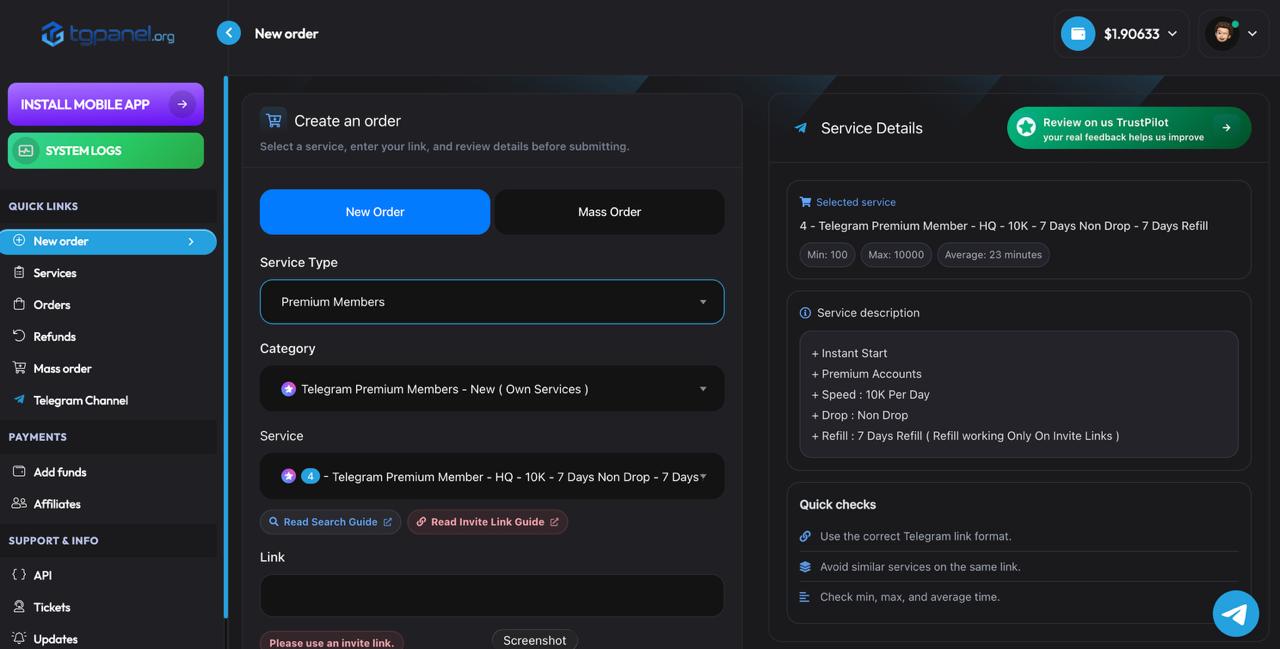
Choose a category and service, paste the correct public link, enter the quantity, and review the total before submitting.
tgpanel.org/new-orders

TGPanel is a Telegram SMM panel and nothing else: 1,526 services covering members, views, reactions, comments, boosts, bot starts, and stars, all ordered through public links with live dashboard tracking. Resellers connect through the API, channel owners order in under a minute, and every service states its refill terms before you pay.







ALL SERVICES
Thirteen service families, each with its own page, pricing, and guarantee terms. Scroll through and open the one your channel needs.
Try before you buy
LIVE RATES
A sample from the full list of 1,526 services. Exact live prices for every service sit inside the panel.
HOW IT WORKS
Choose a category and service, paste the correct public link, enter the quantity, and review the total before submitting.
Cards through Stripe and Checkout, crypto through Cryptomus, CoinPayments, and Binance Pay. Crypto deposits earn a 5% bonus, card deposits 3%.
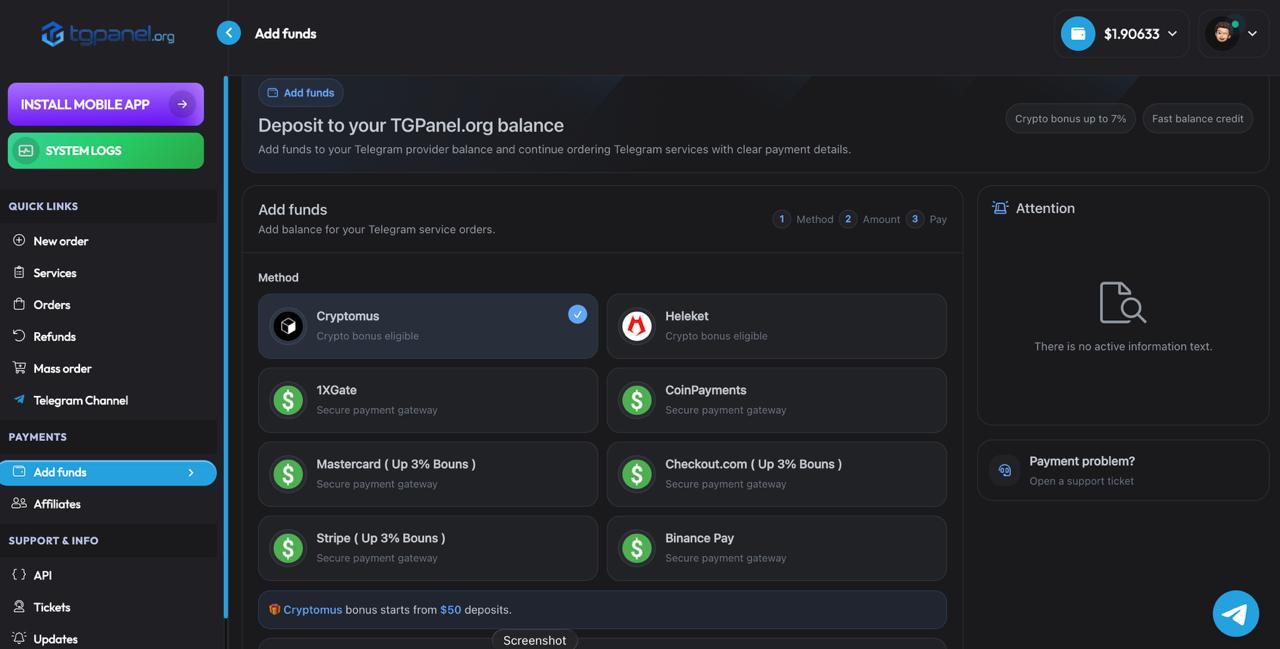
Follow live order status, review charges and quantities, and use the refill option when it is included with the service.
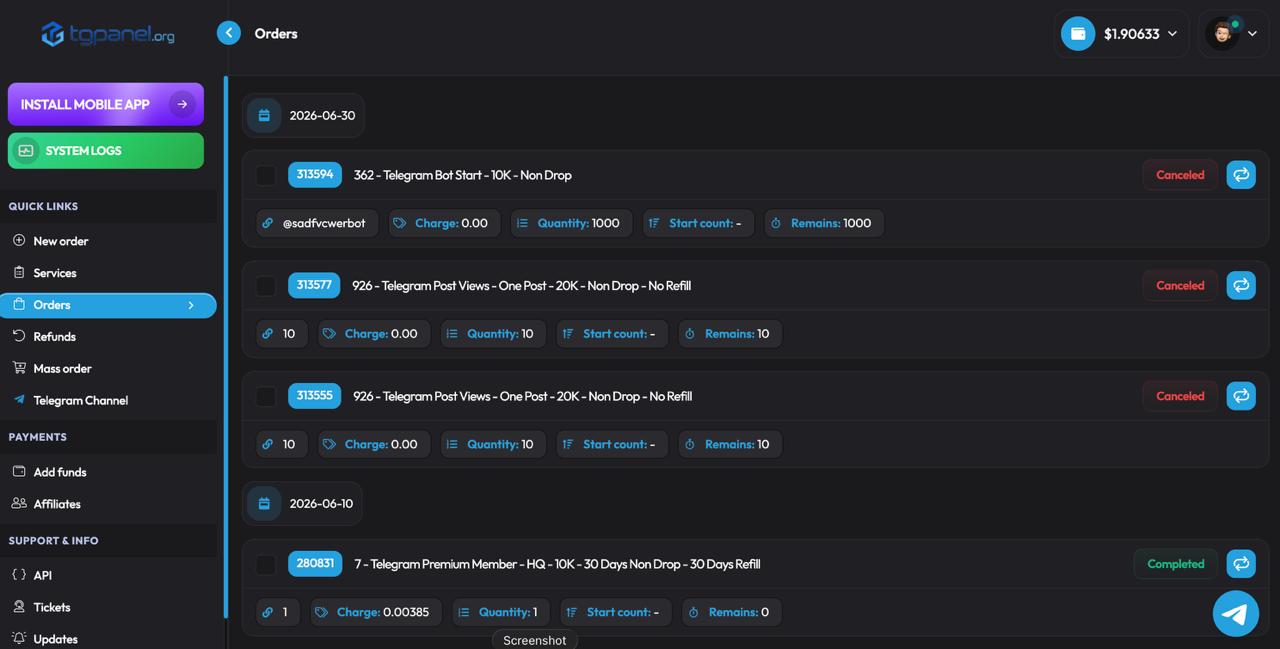
Open a ticket for order or account help, attach the useful details, and follow every reply from the same page.
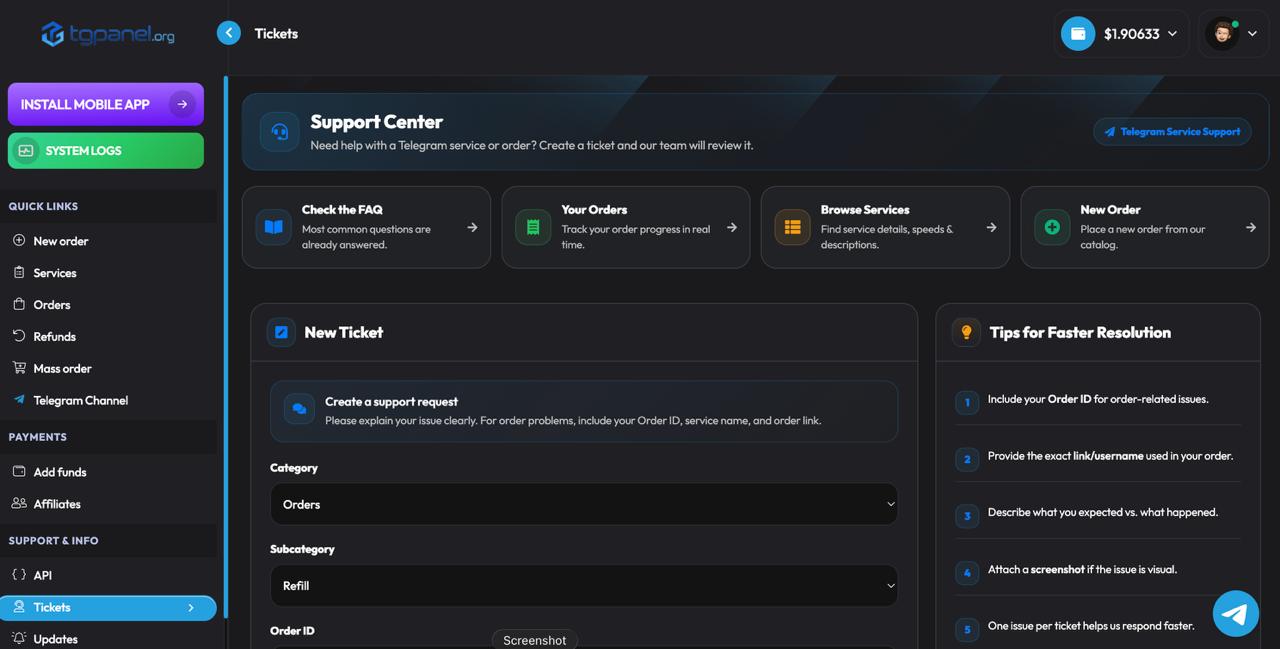
You can complete your payments and easily add funds to your account using the options below. If you need any help during the process, our support team is always available to assist you anytime.
The payment row moves softly from side to side. Hover to pause on desktop. Motion is reduced automatically for users who prefer reduced motion.
BUILT AROUND THE PANEL
Most of our order volume comes through the API. Connect your own panel or shop, sync the service list, and orders flow straight through with live status callbacks. New resellers get a free test balance to try services before putting them in front of customers.
Cards run through Stripe and Checkout, crypto through Cryptomus, CoinPayments, and Binance Pay. Every deposit earns a bonus on top: 5% on crypto, 3% on card payments, credited with the deposit.
Orders, balance, tickets, and tracking, all from the TGPanel mobile app. Everything the dashboard does, sized for one hand.
Get the appNo service on this panel asks for your Telegram password, login, or session. Orders run on public links and invite links, your account stays untouched, and refund rules are written on every service before you pay.
GROWTH RECIPES
Buying one stat alone rarely reads well. These are the combinations our long-term customers actually run, by niche.
The mix starts with channel size, then keeps every post visibly active before adding the engagement signals used in ad conversations.
Product posts need enough reach to look established, comments that fit the topic, and a direct monetization layer where Stars make sense.
The mix starts with Story Views, adds a cleaner engagement layer to key posts, then uses Boost when channel features or levels matter.
Online Members support the first impression, Smart Random Comments create visible conversation, and Poll Votes make participation easier to see.
Customers use TGPanel for different Telegram growth needs, from members and views to reactions, comments, shares, boosts, and campaign support. The feedback below focuses on the things that matter across every order: simple setup, clear service notes, support, delivery tracking, and repeat use.
4.1
GreatRecorded by real TGPanel customers about their order flow, dashboard experience, support, and overall use of the panel.
 14 March
Lisa talks about browsing services, comparing options, adding balance, and placing orders without dealing with a confusing dashboard.
 7 March
Ryan explains how the service categories are organized and why the dashboard works well for repeat Telegram orders.
 14 March
Deonne shares how TGPanel helps when a project needs different Telegram services in one place instead of switching between tools.
 9 May
9 May
Kaelinsbooks describes TGPanel as useful for people who publish often and want a repeatable way to manage Telegram orders.
 28 February
Shanteria highlights the simple order flow and the fact that standard orders do not require private Telegram account access.
 11 March
Maryam explains that the service options and package sizes can be matched to different Telegram growth plans and campaign goals.
 2 September
Christopher talks about the dashboard, balance system, service list, and order tracking as the parts that make TGPanel easy to return to.
These notes are about the everyday parts of using TGPanel: choosing a service, placing the order, checking progress, understanding refill rules, and getting help when something needs a second look.
Aiden.M
I like that the service notes are clear before ordering. It makes it easier to choose the right option instead of guessing and hoping it works.
Marina.K
The panel is easy to reuse. I add balance, choose the Telegram service I need, paste the link, and follow the order from the dashboard.
Owen R.
Support helped me understand which service made sense for my group before I ordered. That saved me from choosing the wrong type.
Daniel.S
What matters to me is knowing the rules before I pay. The refill details, order status, and support replies make the process feel controlled.
A Telegram SMM panel is a dashboard where channel and group owners order growth services: members, post views, reactions, comments, boosts, and the rest, each priced per thousand and delivered to a public link. Instead of chasing ten providers with ten payment methods, a panel puts the catalog, the wallet, and the order tracking in one place. That is the whole idea, and we wrote a longer plain-language explainer on what the Telegram SMM panel is for anyone starting from zero.
What separates one panel from another is focus and honesty. Most panels sell every platform at once, Telegram as a side menu next to Instagram and TikTok. TGPanel runs the other way: Telegram only, which shows up in details generic panels get wrong, like boost terms sold by duration, refill windows written into service names, and story delivery paced for a 24-hour lifespan.
FROM THE BLOG
FAQ
Ordering Telegram growth services, members, views, reactions, comments, boosts, stars, from one dashboard with one balance. Each service has its own page here describing tiers, prices, and guarantees.
Yes, deliberately. Telegram-only focus is why services like duration-based boosts, story-paced delivery, and per-service refill windows exist here and rarely elsewhere.
This site is it: tgpanel.org works in any browser, and the mobile app carries the same account. Resellers connecting a site use the API link from the docs.
Never, on any service. Orders run on public links and invite links only.
Add balance by card through Stripe or Checkout, or crypto through Cryptomus, CoinPayments, and Binance Pay. Crypto deposits get a 5% bonus, cards 3%, and orders spend from the balance.
Every service states its refill or guarantee terms on its page and in the service name before you order, from 3-day windows up to a full year, and drops inside the window are restored free.
Yes, that is most of our volume. The API syncs the service list to your site, and new resellers get a free test balance. Our reseller guide covers the setup.
Two ways: the free services, free members, views, reactions, comments, poll votes, and story views, and the reseller test balance.