
Can Telegram Contacts See My Number?

If you’re asking Can Telegram Contacts See My Number?, you’re not alone. This is a privacy-anxiety question, not a curiosity question—most people search it because they want a clear answer right now and a simple way to lock their account down.
The direct answer is: yes, Telegram contacts can see your number in some cases, but only based on your privacy settings and whether they already have your number saved. The good news is that Telegram gives you strong control over visibility, and you can reduce exposure in a few minutes.
If you manage a public channel or you’re growing a community through a telegram smm panel, privacy becomes even more important because your account is more visible to new users. That’s why this guide focuses on clarity, settings, and real scenarios—without hype.
Can Telegram Contacts See My Phone Number?
Telegram does not automatically show your phone number to everyone, but it can show it to your contacts depending on your configuration. If your phone number visibility is set to “My Contacts,” then contacts who have your number saved may be able to see it. If it is set to “Everybody,” more people can see it. If it is set to “Nobody,” your number is hidden from everyone except you (and in some cases, people who already have your number saved may still be able to connect with you). The key point is that number visibility is not fixed—it is a setting you control.

How Telegram Uses Your Phone Number
Telegram uses a phone number as an account identifier, which is why sign-up and verification depend on it. Your number helps Telegram match you with people you know when contact syncing is enabled. However, your phone number is not meant to function like a public username. Telegram’s design assumes you can separate identity (username) from contact information (phone number) if you configure privacy correctly. For most users, the safest approach is to use a username for discovery and hide the phone number from public view.
Who Can See Your Phone Number on Telegram?
Phone number visibility usually falls into these categories: your contacts, non-contacts, and people who already have your number saved. Telegram privacy lets you define who can see your number and also add exceptions (allow or disallow specific users). If you choose “My Contacts,” your number is typically visible only to people saved in your address book. If you choose “Nobody,” your number is hidden, but you may still receive messages from users depending on other settings. The safest configuration for privacy-focused users is typically “Nobody” plus a username for communication.
Can Strangers See My Number on Telegram?
In most normal situations, strangers do not see your phone number—especially if you have a username and your phone number visibility is restricted. Strangers can interact with you through username-based discovery, public channels, or forwarded messages without automatically seeing your number. The risk increases when privacy settings are open or when you join environments where people try to identify users through contact matching. If your number is hidden and you rely on username-based contact, you significantly reduce the chance of exposing your phone number to strangers.
Telegram Privacy Settings Explained (Everybody / My Contacts / Nobody)
Telegram’s privacy choices are simple but powerful. “Everybody” means anyone can see your number, which is not recommended for most users. “My Contacts” is safer but still exposes your number to anyone saved in your address book. “Nobody” is the strictest privacy setting and is best for users who want maximum protection. Telegram also allows exceptions—so you can hide your number from almost everyone while allowing it for a trusted person. If you want peace of mind, “Nobody” is usually the cleanest choice.
How to Hide Your Phone Number on Telegram
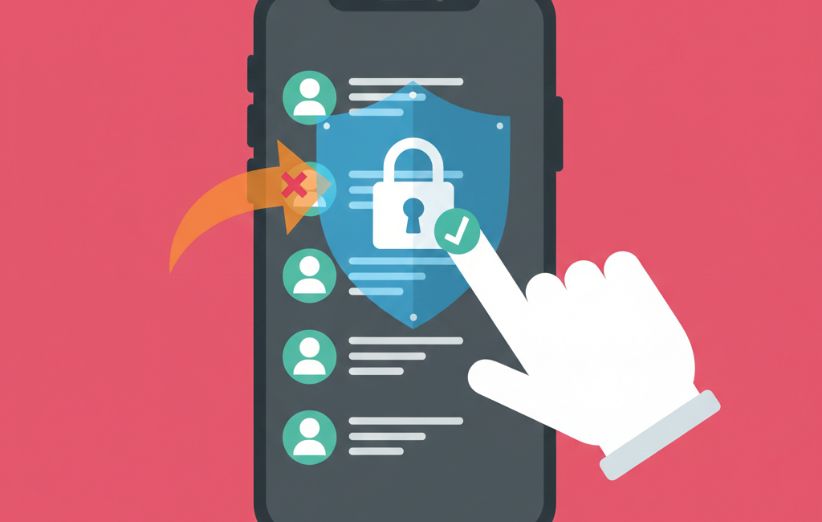
To hide your number, open Telegram settings and go to Privacy and Security, then Phone Number. Choose “Nobody” for visibility and review exceptions to ensure no one is accidentally allowed. If you want people to still find you, set up a username so your number is not needed for contact. After you hide your number, your account becomes safer for public interaction, group activity, and channel management. This one change solves most privacy anxiety behind the question “Can Telegram Contacts See My Number?”
What Happens If You Sync Contacts?
Syncing contacts makes Telegram compare your address book with existing Telegram accounts. This helps you find people you already know, but it also increases the chance that others who have your number saved can find you. Even if your number is hidden, contact syncing can create visibility through matching behavior and suggestions. If privacy is your priority, consider disabling contact syncing or limiting it. Many users feel their number was “exposed,” but in reality, the platform simply matched existing phone numbers—this is why privacy settings and syncing behavior must be understood together.
Can Telegram Groups or Channels Show My Number?
Telegram groups and channels do not automatically display your phone number to members. Most users interact through their display name and username. However, visibility can still depend on privacy settings and whether someone already has your number saved in their contacts. For public-facing activity, the safest setup is to hide your number and use a username. If you’re managing communities and want to reduce unwanted exposure, this is a critical step before increasing your channel visibility.
Is Telegram Safe for Privacy?
Telegram can be very safe for privacy if you configure it correctly, but it is not “automatically private” by default for every scenario. Your safety depends on how you set phone number visibility, who can add you to groups, who can call you, and whether you sync contacts. If you also care about broader privacy issues such as traceability or recoverability, it helps to read related Telegram privacy guides and apply settings consistently. The goal is not fear—it's control and clarity.
Related Telegram Privacy Topics We Cover
If you want deeper clarity on privacy beyond phone number visibility, we publish practical Telegram guides that address common concerns users have before they commit to public growth or community building. If you want to understand data recovery concerns, read can telegram chat be recovered and apply the recommendations based on your risk level.
If your concern is whether activities can be traced, the guide can telegram chats be traced explains realistic expectations and what settings reduce exposure. If you specifically want to know what your contacts can see about your communities, the article can telegram contacts see my groups helps you understand visibility rules with simple examples.
Telegram Services We Provide
Below are Telegram services available through our ecosystem. Each service fits a different growth or engagement goal, so the best choice depends on whether you want visibility, reactions, member growth, or campaign support. We recommend starting small, keeping patterns consistent, and focusing on content value so your growth looks natural and credible over time.
Free Telegram View
If you want to test how Telegram engagement delivery works before committing budget, Free Telegram View is a practical starting point. It helps your posts look more active and can support first-impression credibility for new visitors. This option is best used as a small trial, not a full growth strategy. It also helps you understand how link submission and delivery timing behave in real conditions. For more details, visit the service page directly.
Free Telegram Reaction
Free Telegram Reaction is designed for users who want light engagement signals on posts without jumping into paid campaigns immediately. Reactions can make important announcements feel less “empty,” especially in early-stage channels. The best practice is to keep reaction levels aligned with your channel size so patterns stay believable. This service works best when paired with consistent posting. For full information, review the service page.
Free Telegram Members
If your goal is to test member delivery logic and understand what “growth” looks like in small increments, Free Telegram Members can be used as an entry-level trial. It’s useful for learning how membership additions behave and what retention expectations should be. Free trials are usually limited, so use them to test system behavior and plan your next step. It’s also a good way to compare pacing strategies before scaling. For full service details, visit the page.
Free Premium Member
Some users want to explore premium-focused visibility options and see how premium-related delivery behaves before purchasing larger packages. Free Premium Member is positioned for careful testing and learning, not instant transformation. It’s best used when your channel already has consistent content and you want to evaluate how premium-related signals look to visitors. As with any trial, moderation is key to maintaining credibility. For full details and conditions, check the service page.
free telegram likes
If you are testing post engagement specifically, free telegram likes can help you understand how like-based engagement is delivered on Telegram. This is most useful as a limited trial to reduce uncertainty and compare stability. Likes can improve the visual activity of a post, but they do not replace real audience value or content quality. Use it to learn delivery behavior, then decide whether controlled scaling makes sense. For more information, visit the page.
buy telegram story views
Stories are a fast attention format, and buy telegram story views supports visibility when you run time-sensitive updates or promotional messages. This can help your story content appear more active during a campaign window. It works best when your story content is frequent and consistent, so views do not look random. Moderate pacing is recommended for credibility. For full details, visit the service page.
Buy Telegram Post Shares
If you want stronger distribution signals for specific posts, Buy Telegram Post Shares is designed to support share-based visibility. Shares can help a post look more “spreadable,” which can improve first-impression trust for new viewers. This is most effective for posts that already have strong value—announcements, guides, and content people actually want to pass along. Keep share levels aligned with your channel size for realism. Full information is available on the service page.
Buy Telegram Poll Votes
Buy Telegram Poll Votes helps when you run polls for feedback, launches, or community decisions and want higher participation signals. Poll activity can make a channel feel alive and interactive, which supports community trust. The best use case is when the poll is genuinely relevant and you want to encourage engagement momentum. Avoid unrealistic vote spikes that don’t match your audience size. For full conditions, visit the service page.
Buy Telegram Emoji Reactions
If your content relies on emotional response cues, Buy Telegram Emoji Reactions offers a more expressive engagement layer than basic likes. Emoji reactions can improve the perceived liveliness of posts, especially announcements and community content. It works best when reaction patterns match the tone of the post and your channel’s normal behavior. Controlled usage keeps engagement believable. More details are available on the service page.
Buy Telegram Bulk Message
Buy Telegram Bulk Message is positioned for structured outreach workflows where messaging is part of a campaign plan. This type of service should be used responsibly to avoid spam-like behavior and to protect account trust. The best practice is to focus on relevance, clear value, and reasonable pacing. If you run community updates or segmented messaging, structured delivery can support operational efficiency. For full details and usage notes, visit the service page.
Quick Checklist: How to Protect Your Number on Telegram
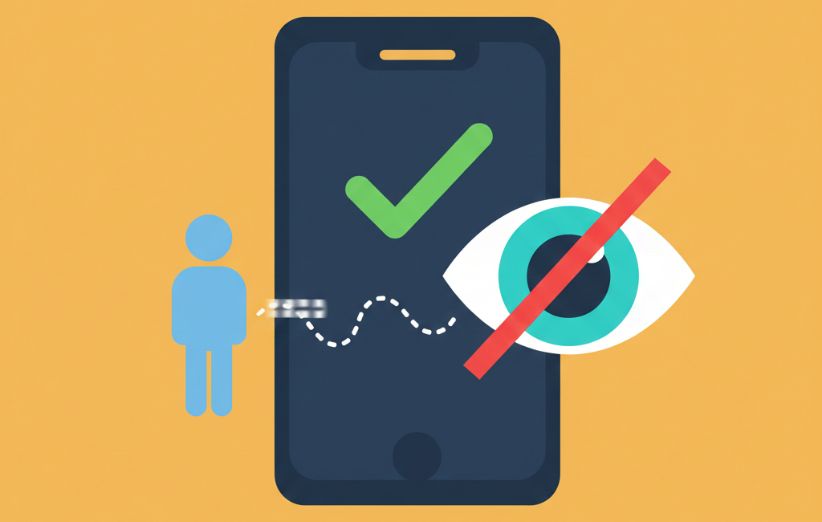
- Set Phone Number visibility to “Nobody” and review exceptions.
- Create a username so people can contact you without your number.
- Consider disabling contact syncing if privacy is a priority.
- Review group invitation and call settings inside Privacy and Security.
- Use consistent privacy settings before you grow a public community.
Common Misunderstandings About Telegram Number Visibility
| Myth | Reality |
|---|---|
| “Telegram always shows my number to everyone.” | Number visibility depends on your privacy settings and exceptions. |
| “Joining a group exposes my phone number automatically.” | Groups usually show username/display name; number exposure depends on your settings and contact relationships. |
| “Hiding my number means nobody can find me.” | You can still be discoverable via username while keeping your number hidden. |
FAQ
1) Can Telegram contacts see my number?
Yes, they can if your privacy settings allow it or if they already have your number saved, depending on your visibility configuration.
2) Can strangers see my number on Telegram?
Usually no, especially if you hide your number and use a username, but open settings increase exposure risk.
3) How do I hide my phone number on Telegram?
Go to Settings, Privacy and Security, Phone Number, then set visibility to “Nobody” and review exceptions.
4) Does syncing contacts affect number visibility?
Yes, syncing contacts can make it easier for people who already have your number saved to find you through Telegram matching.
5) Can group members see my phone number?
Groups do not typically display your number publicly, but contact relationships and privacy settings can influence what others can see.
6) If I set my number to “Nobody,” can my contacts still message me?
Yes, contacts can still message you depending on other privacy settings, even if your number is hidden.
7) Does having a username protect my phone number?
A username helps people contact you without needing your number, but you still need to set number visibility to “Nobody” for best privacy.
8) Can a blocked user see my number?
Blocking limits interaction, but number visibility still depends on your privacy settings and whether they already have your number stored.
9) Can my number appear in forwarded messages?
Forwarded messages typically show your name/username; your number is controlled by privacy settings and is not meant to be public by default.
10) What is the safest setup for public channel admins?
Use a username, set phone number visibility to “Nobody,” review exceptions, and avoid unnecessary contact syncing for maximum control.
- Free Telegram View
- Free Telegram Reaction
- Free Telegram Story Views
- Buy Telegram Views
- Buy Telegram Members
- Buy Telegram Targeted Members
- Buy Telegram Bot Start
- Buy Telegram Boost
- Buy Telegram Story Views
- Buy Telegram Emoji Reactions
- Buy Telegram Comments
- Buy Telegram Stars
- Buy Telegram Referrals Start
- Buy Telegram Promotion
- Buy Telegram Post Shares
- Buy Telegram Poll Votes
- Buy Telegram Mini App Start
- buy telegram gifts
- Buy Telegram Bulk Message
- Buy Telegram Accounts
- Buy Aged Telegram Channels, Groups